

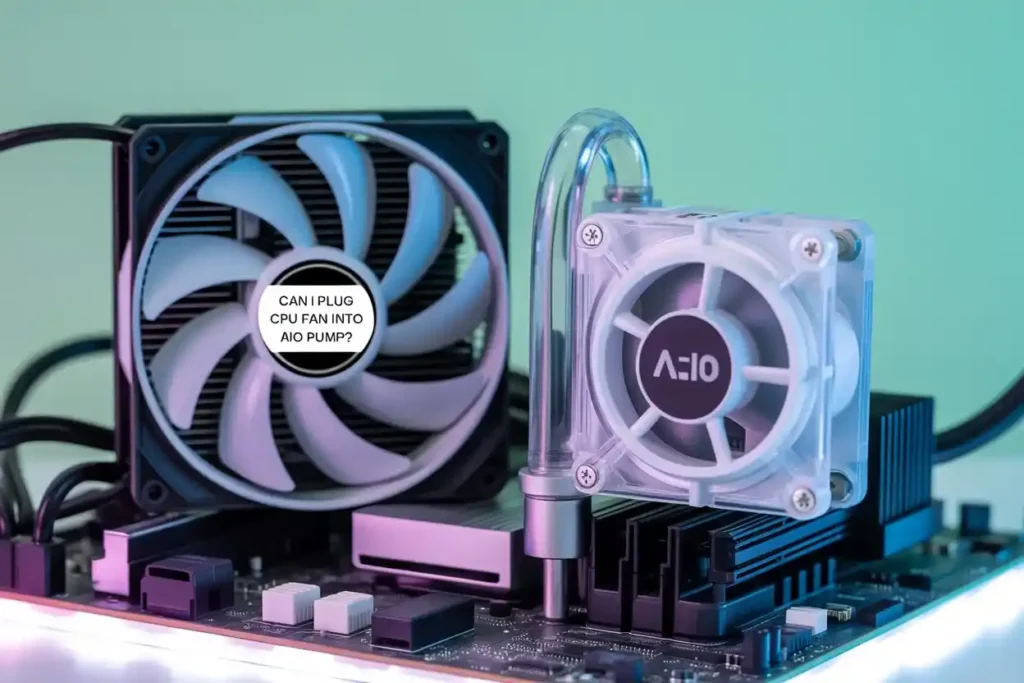
Can I Plug CPU Fan Into AIO Pump? This is a common question many PC builders ask while installing an AIO liquid cooler or upgrading their cooling setup. Modern motherboards include multiple fan headers like CPU FAN, CPU OPT, SYS FAN, and AIO PUMP, which often creates confusion about where the CPU cooler fan should actually connect.
Yes, you can plug a CPU fan into an AIO PUMP header, but it is usually not recommended because most pump headers run at constant full speed instead of adjusting fan speed based on CPU temperature.
In this guide, you will learn:
- Whether plugging a CPU fan into the AIO PUMP header is safe
- What happens to fan speed and BIOS monitoring
- The correct way to connect AIO pumps and radiator fans
- Common mistakes that can cause noise or boot warnings
My Testing Experience
I tested this setup on MSI and ASUS motherboards using both air coolers and AIO liquid coolers. The CPU fan connected to the AIO PUMP header worked correctly, but the fan stayed close to maximum RPM even during idle usage.
System temperatures remained stable, but fan noise increased noticeably because the motherboard treated the header like a pump connection instead of a controllable fan header.
After reconnecting the fan to the CPU FAN header, PWM fan control started working normally again, and idle noise levels improved significantly.
On one ASUS motherboard, the system also displayed a CPU fan warning during boot because the CPU FAN header was left empty while the fan was connected to the AIO PUMP header. After moving the fan back to the CPU FAN header, the warning disappeared automatically.
What is a CPU Fan Header?
The CPU FAN header is the primary port on your motherboard for connecting the fan attached to your CPU cooler. It is designed to monitor and control the fan’s speed based on the processor’s temperature, keeping everything running at optimal performance.
What is an AIO Pump Header?
An AIO PUMP header is specifically designed for All-in-One liquid coolers and usually supplies constant full-speed power to keep the pump running continuously. It is designed to supply constant power (usually 12V), ensuring the pump runs at a fixed speed for consistent liquid circulation in AIO coolers.
Key Differences Between CPU Fan and AIO Pump Headers:
| Header | Main Purpose | Speed Control | Best Used For |
|---|---|---|---|
| CPU FAN | CPU cooler fan | Dynamic PWM/DC control | CPU air coolers and radiator fans |
| CPU OPT | Secondary CPU fan | Mirrors CPU FAN settings | Dual-fan coolers |
| AIO PUMP | Liquid cooler pump | Usually constant 12V | AIO pump connection |
| SYS FAN | Case fans | Adjustable | Case airflow fans |
AIO Cooling Explained
What is an AIO Cooler?
An AIO (All-in-One) cooler is a sealed liquid cooling system that includes a pump, radiator, fans, and tubes.
The pump circulates coolant, the radiator dissipates heat, and the fans push air through the radiator. AIO coolers are designed to run the pump at a constant speed while controlling fan speeds based on CPU temperature.
Components of an AIO
- Pump: Circulates the coolant
- Radiator: Dissipates heat
- Fans: Push air through the radiator
- Tubes: Carry liquid between components
Fan Headers on Your Motherboard:
CPU FAN vs CPU OPT vs AIO PUMP vs SYS FAN
Today’s motherboards have several dedicated headers explicitly designed for connecting fans and cooling components.
- CPU FAN: Essential for booting, controls the primary CPU cooler.
- CPU OPT: For secondary fans on dual-fan CPU coolers.
- AIO PUMP: Meant for liquid cooler pumps, provides constant voltage.
- SYS FAN: For case fans, often voltage-controlled.
Voltage and RPM Control Differences
Some headers supply variable voltage (DC) or pulse-width modulation (PWM) to adjust speed. For stability, AIO PUMP usually skips this variability.
Can You Plug a CPU Fan into an AIO PUMP Header?
Yes, you can plug a CPU fan into the AIO PUMP header. But should you? That depends on what you are trying to achieve and what hardware you’re working with.
What Happens When You Plug a CPU Fan Into an AIO PUMP Header?
In most cases, the fan will spin normally because the AIO PUMP header can still provide enough power for standard CPU fans.
However, unlike the CPU FAN header, many AIO pump headers are configured to deliver constant 12V power. This often results in the fan running at a fixed high speed instead of dynamically adjusting to CPU temperature changes.
In real usage, this can lead to:
- Higher noise at idle
- No automatic fan speed adjustment
- Possible BIOS fan warning if CPU_FAN header is not used
Risks Involved:
RPM Monitoring Errors
Since the AIO PUMP header is not designed to report RPMs for fans, your system might not be able to monitor cooling correctly.
Fan Speed Mismanagement
Without PWM or DC regulation, you lose automatic control over fan speeds, which can result in excessive noise.
System Warnings or Shutdowns
Many motherboards won’t boot unless they detect a fan on the CPU FAN header. Plugging the CPU fan elsewhere can trip fail-safes.
Why People Consider Doing This?
Motherboard Header Limitations:
- Not every motherboard has all the headers you want. Sometimes you’re forced to improvise.
Aesthetic or Cable Management Reasons:
- Some builders prioritize clean builds over conventional setups and re-route fan connections for a tidier look.
The Right Way to Connect Your AIO
Where to Plug the Pump
Connect your AIO pump to the AIO PUMP header or, if unavailable, a SYS FAN header set to full speed.
Where to Plug the Radiator Fans
These should go into the CPU FAN or CPU OPT headers, which can be speed-controlled based on CPU temperature.
BIOS Configuration Tips
Always check your BIOS settings:
- Set AIO PUMP to full speed
- Enable intelligent fan control for CPU FAN
- Disable fan fail warnings if necessary
On many ASUS motherboards, the AIO PUMP header is set to full-speed mode by default inside Q-Fan Control.
MSI motherboards may allow manual adjustment of the pump header through the Hardware Monitor section in BIOS settings.
Some modern Gigabyte and ASRock motherboards also allow custom fan curves on AIO headers, depending on the motherboard model.
When Plugging a CPU Fan Into an AIO PUMP Header Is Acceptable
In some situations, using the AIO PUMP header for a CPU fan can still work properly:
- Temporary troubleshooting
- Motherboards with limited fan headers
- Small form factor PC builds
- Manual BIOS fan tuning setups
Some newer motherboards also allow users to manually control the AIO PUMP header speed through BIOS settings.
Using Fan Splitters or Fan Hubs:
When and Why to Use Them?
Fan splitters allow multiple fans to share one header. Fan hubs can control many fans from one source with proper power distribution.
Pros and Cons:
- Pros: Saves headers, improves airflow control
- Cons: Can overload the header if not careful
Custom Cooling and Advanced Setups:
How Enthusiasts Do It Differently?
Many advanced users manually control all fans via software like FanControl or BIOS profiles for optimized cooling curves.
Manual Fan Curves and Software Solutions:
These settings allow you to control how quickly fans respond to temperature changes, helping improve cooling efficiency while reducing unnecessary fan noise.
Troubleshooting Tips
What to Check in BIOS?
Ensure the fan is spinning, the RPM is showing, and no warnings are triggered.
Fan Not Spinning? Here’s Why
- Incorrect PWM/DC mode setting
- Loose or faulty cable connection
- BIOS fan control configuration issue
Common Mistakes
- Leaving the CPU FAN empty
- Mixing PWM with DC fans
- Forgetting to save BIOS settings
Myths vs. Facts
Debunking Common Myths
- Myth: CPU fans will break if plugged into an AIO PUMP.
- Fact: They will just run at max speed.
- Myth: BIOS won’t boot without a CPU FAN.
- Fact: It can, if you tweak settings.
Expert Recommendations
- Always plug the main CPU cooler fan into the CPU FAN header.
- Use AIO PUMP for the pump, not fans.
- Consider a powered fan hub or splitter if you are out of headers.
- Monitor temps with software like HWMonitor or MSI Afterburner.
If your processor still runs hotter than expected, you should also check safe CPU temperature ranges and proper thermal paste application to improve cooling efficiency.
FAQs: Can I Plug CPU Fan Into AIO Pump?
Can I plug a normal case fan into a Pump fan slot?
Yes, you can plug a normal case fan into a pump fan header, but it may run at full speed without proper control. It is best to use a standard fan header for better fan performance and noise control.
Can I put a fan in an AIO pump?
You can connect a fan to an AIO pump header, but it is not ideal. Pump headers are meant for constant power, so the fan may run at full speed. For better control, use a fan-specific header instead.
Do I need a CPU fan if I have an AIO?
If you have an AIO cooler, you do not need a separate CPU fan. The AIO’s pump and radiator fans handle cooling. Ensure all components are properly connected and mounted for efficient heat management and system stability.
Can I plug a CPU fan into a system fan?
Yes, you can plug a CPU fan into a SYS FAN header, but it may not receive the same speed control based on CPU temperature. For best performance and safety, it is recommended to use the CPU FAN header instead.
Is it OK to run the CPU without a fan?
No, running a CPU without a fan is not safe. Without proper cooling, the CPU will quickly overheat, leading to system shutdown, performance issues, or permanent damage. Always use a fan or cooler to protect your processor.
If your motherboard allows manual fan curve control for the AIO PUMP header, you can sometimes reduce fan noise by adjusting the header behavior in BIOS. However, most builders still prefer using the CPU FAN header for better compatibility and automatic temperature-based fan control.
Conclusion: Can I Plug CPU Fan Into AIO Pump?
Plugging a CPU fan into an AIO PUMP header is generally safe, but it is not the ideal configuration for most PC builds.
During testing, the biggest drawback was that the fan often ran at maximum speed continuously, creating unnecessary noise and reducing smart thermal control.
For the best balance of cooling performance, RPM monitoring, and motherboard compatibility:
- Connect the AIO pump to the AIO PUMP header
- Connect radiator or CPU cooler fans to the CPU FAN header
If your motherboard has limited headers, using a powered fan hub or fan splitter is usually a better long-term solution than running CPU fans from the pump header.
After installation, check your BIOS fan settings and monitor CPU temperatures regularly to ensure stable cooling performance.
Also read: